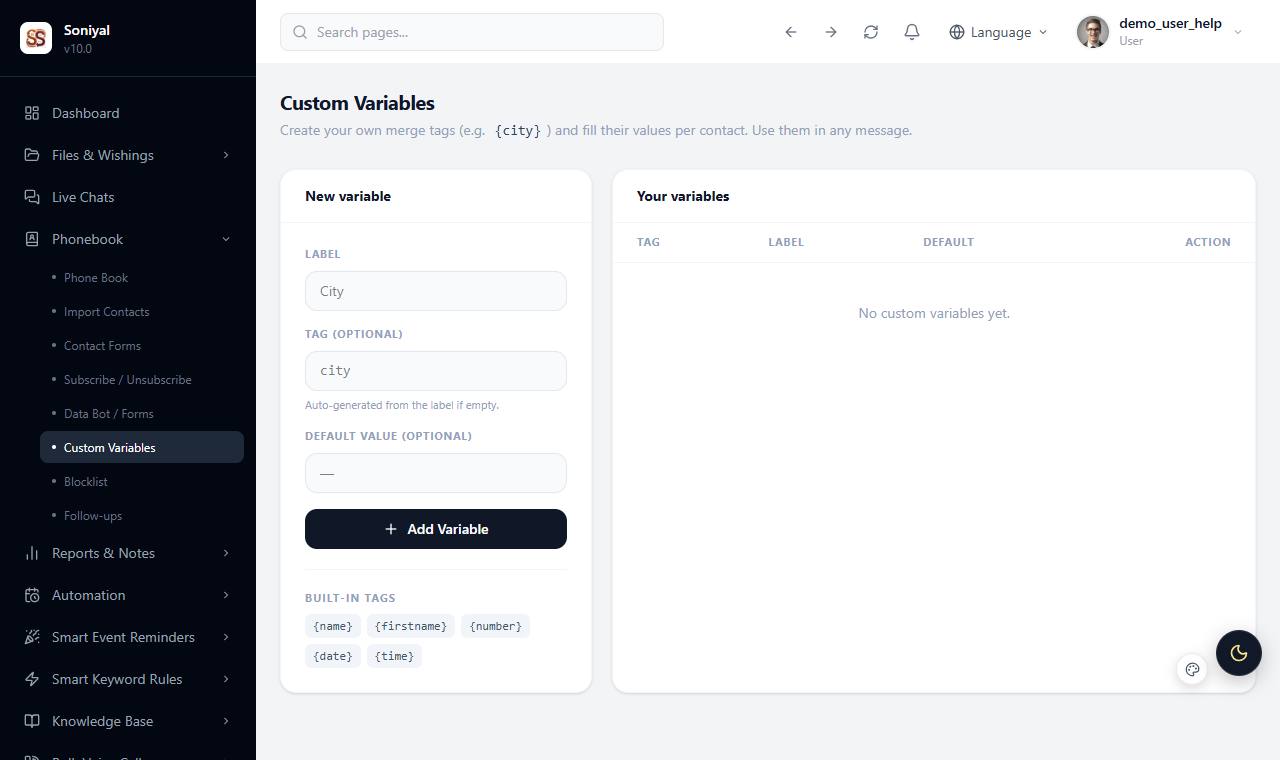
Create extra contact fields like city, plan or due date and use them as {tags} in your messages.
Contacts1 min readUpdated:
Names alone make messages feel generic. Custom Variables let you store anything about a contact — city, product, amount, date — and drop it into a message with a simple tag.
When to use it
Whenever a message should mention something specific to each person.
Example
“Hi {name}, your {plan} plan renews on {due_date}.” becomes “Hi Karan, your Gold plan renews on 5 Nov.”
Pro tips
Use lowercase names without spaces.
Decide a standard date format and keep it everywhere.
Step by step
Open Custom Variables
Go to Phonebook → Custom Variables.
Create a variable
Add a short name such as city or due_date.
Fill values
Add the values per contact in the Phonebook or as extra columns in an import file.
Use the tag
Write {city} or {due_date} in a campaign, scheduled message or auto reply.
Test
Send a test message and confirm the value is filled in.
Frequently asked questions
What if a value is empty?
The tag stays blank, so provide a fallback in your wording.
Can I delete a variable?
Yes, but messages using it will show nothing for that tag.