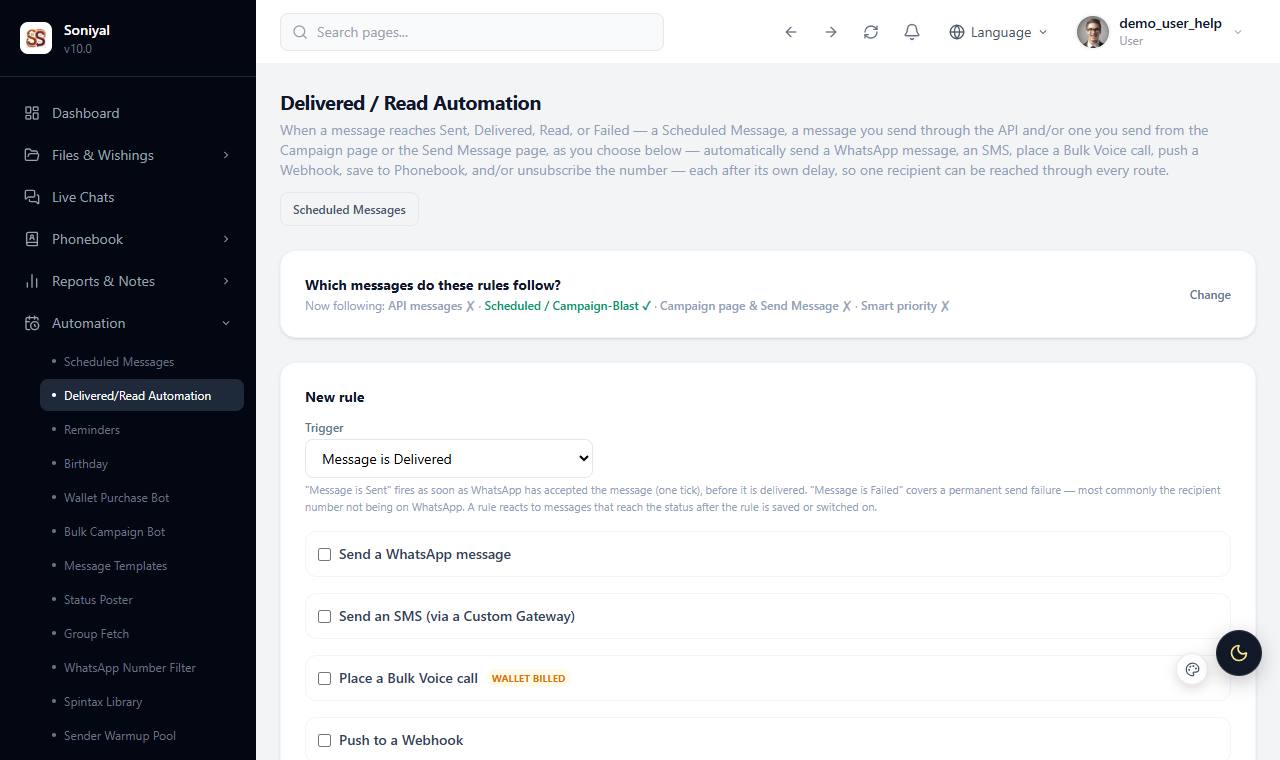
Delivered / Read Automation: act when a message is seen
Trigger a follow-up when a message is sent, delivered or read — or never read.
Automation1 min readUpdated:
This automation watches message status. For example: “if the customer reads my offer, send the catalogue”, or “if it is still unread after a day, send a reminder”.
When to use it
To follow up only with people who showed interest, and to avoid nagging people who have not seen the first message.
Example
When the offer is Read, wait 1 hour, then send “Want us to hold the item for you?”.
Pro tips
Delivered / Read needs recipients with read receipts enabled.
Keep follow-ups helpful, not pushy.
Step by step
Open the page
Go to Automation → Delivered/Read Automation.
Choose the trigger
Message is Sent, Delivered or Read.
Pick what to watch
Campaigns, API messages or web sends, as available.
Add the action
Send another message, call a webhook and so on, with an optional delay.
Save and monitor
Switch the rule on and watch the results.
Frequently asked questions
Why did a rule not fire?
The recipient may have read receipts off, or the message was sent before the rule was created.
Can I apply it to old messages?
Rules work on messages from the moment they are enabled.