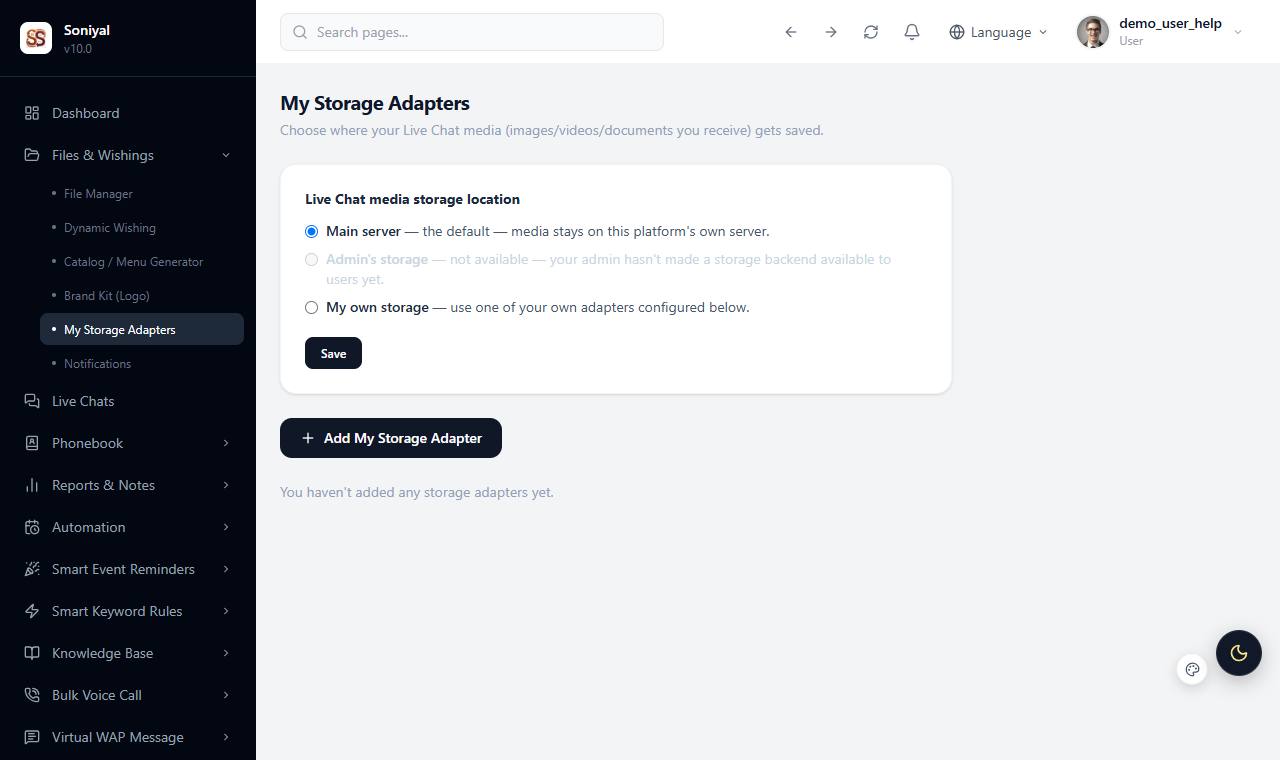
Storage Adapters: keep Live Chat media on your own storage
Send chat media to your own storage (such as a WordPress site) to save space on the main server.
Business tools1 min readUpdated:
By default chat media is kept on the main server. A storage adapter forwards it to storage you control, and you can download a ready WordPress plugin to receive it.
When to use it
When you receive many images and videos and want to keep them under your own control.
Example
An online shop sends all chat photos to its own WordPress media library.
Pro tips
Make sure your hosting has enough disk space.
Back up the storage regularly.
Step by step
Open Storage Adapters
Go to Files & Wishings → My Storage Adapters.
Create an adapter
Add the destination address and a secret key.
Install the receiver
Download the WordPress plugin and install it on your site.
Test
Send a media message to your number and confirm it arrives in your storage.
Watch expiry
You get a notice before an adapter is about to expire.
Frequently asked questions
Does it move old media?
It applies to new media after you enable it.
Can I disable it?
Yes, switch the adapter off to return to default storage.