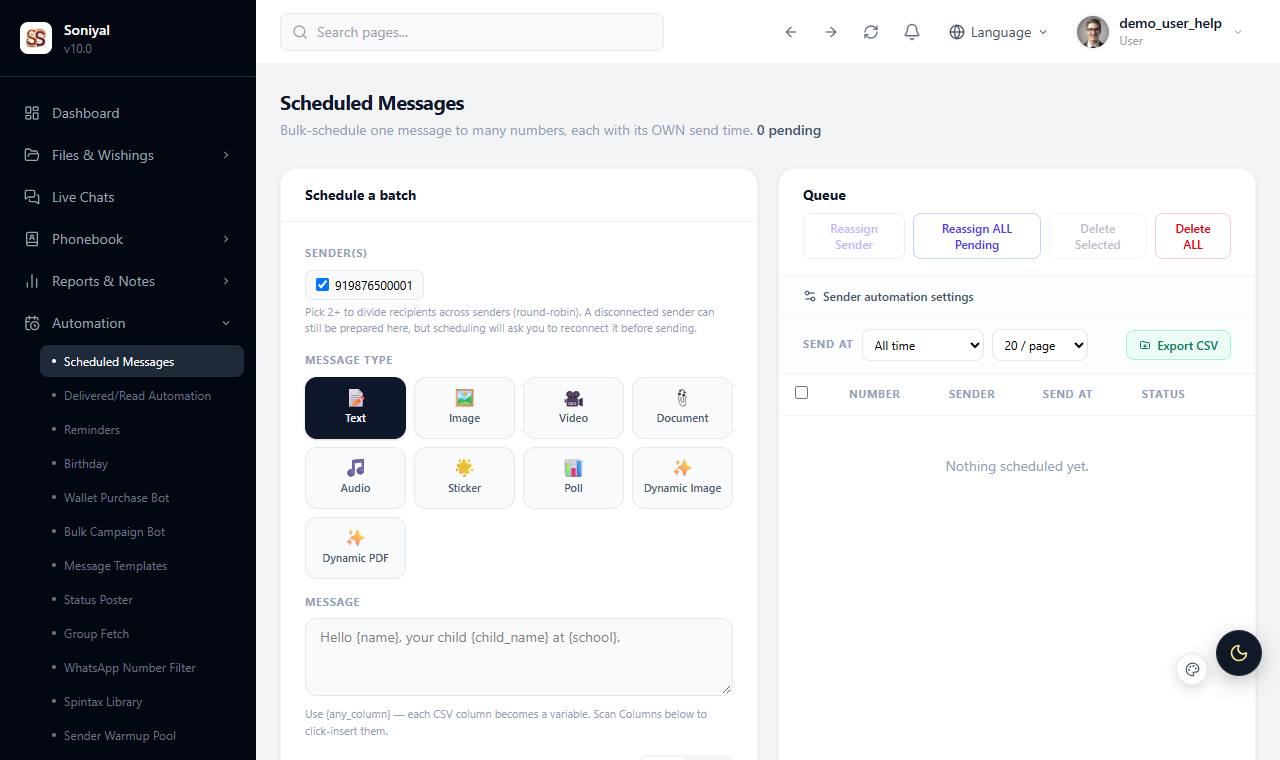
Scheduled Messages: a different time for every number
Upload many numbers, each with its own send time and values, and let the system send them one by one.
Send messages2 min readUpdated:
Scheduled Messages is for “send this to these numbers at these exact times”. You can pick several sender numbers (it rotates between them), choose the message type and use values from your CSV columns inside the text.
When to use it
Appointment reminders, birthday wishes, payment due dates, EMI reminders and anything that must go out at a personal date and time.
Example
A clinic uploads 80 appointments. Each patient automatically gets “Hello Asha, your appointment is tomorrow at 11:30” the evening before.
Pro tips
Use “Reassign ALL Pending” if a sender number gets disconnected.
Export the queue to CSV for a record of what was sent.
Check times in your own timezone before you schedule.
Step by step
Open the page
Go to Automation → Scheduled Messages.
Pick sender(s)
Tick one or more connected numbers. With two or more, messages are divided between them in turn.